
Invoices – they are the lifeblood of business, yet also a massive drain on productivity. Based on recent surveys, enterprises spend over $20 manually processing each invoice, not to mention the costs of storage and potential errors. For companies processing thousands of supplier invoices per month, the numbers add up, fast.
But what if intelligent software could extract all the needed data automatically? What if approvals, GL-coding, and everything else could happen digitally without a human having to intervene? This is the promise of AI-powered invoice processing.
In this post, we’ll cover everything you need to know about streamlining invoice workflows with automation, including:
– The bottlenecks in traditional paper-based processing
– How modern platforms like Kudra are transforming the process
– The precision, speed, and ease-of-use benefits of AI data extraction
– Advantages over alternative solutions
So let’s get right into understanding this document-intensive process and how AI can help.
The Invoice Processing Challenge
First, what exactly does invoice processing entail? Essentially, it is everything from the arrival of an invoice to its final approval and payment.
This includes:
– Receiving and sorting incoming invoices
– Entering header data such as supplier details, dates, and amounts
– Route invoices to appropriate personnel for checking and coding
– Resolving any disputes with suppliers
– Gaining the necessary internal approvals
– Scheduling payments to avoid late fees
As you can see, this encompasses a lot of manual steps, not to mention various teams – Accounts Payable, Procurement, Department Heads, etc. Even when companies adopt ERP systems, the invoice data still needs to be inputted accurately.
Industry surveys reveal it takes around 4-8 minutes just to manually enter information from a standard 2-3 page invoice. This is before any kind of verification, coding, or approval.
No wonder AP teams struggle with productivity and suppliers face late payments. Cash flow visibility is also impacted when invoices sit unprocessed for days or weeks.
The Dawn of Automated Invoice Processing
Fortunately, in the last decade, smart automation has arrived for this document and data-intensive process.
Known as Automated Invoice Processing (AIP), this technology utilizes advanced OCR and AI to extract all related data from invoices and feed it directly into company systems. This eliminates most of the manual entry needed, saving huge amounts of time and money. More details are in: The Complete Guide to AI-Powered Invoice Processing
AIP platforms can integrate directly with popular accounting software like NetSuite, SAP, Oracle, QuickBooks, etc. Some also offer their cloud-based approval workflows for managing exceptions. The latest solutions even leverage conversational AI to handle queries just like a human!
Kudra - Intelligent Document Processing on Autopilot
One of the most versatile AIP solutions available today is Kudra. Purpose-built for unlocking data from all kinds of documents, it boasts advanced AI that can understand context just like we do.
The platform’s self-learning algorithms mimic the way people process information. So it can read and comprehend documents similar to a human, and then reliably pull out the required data points.
For invoice processing specifically, Kudra delivers exceptional precision and speed:
Precision – Proprietary AI models accurately extract key details from 100+ languages and any invoice format – tables, diagrams, handwriting, etc.

Speed – Ultra-fast OCR and parallel processing allow high volumes of invoices to be automated in minutes.
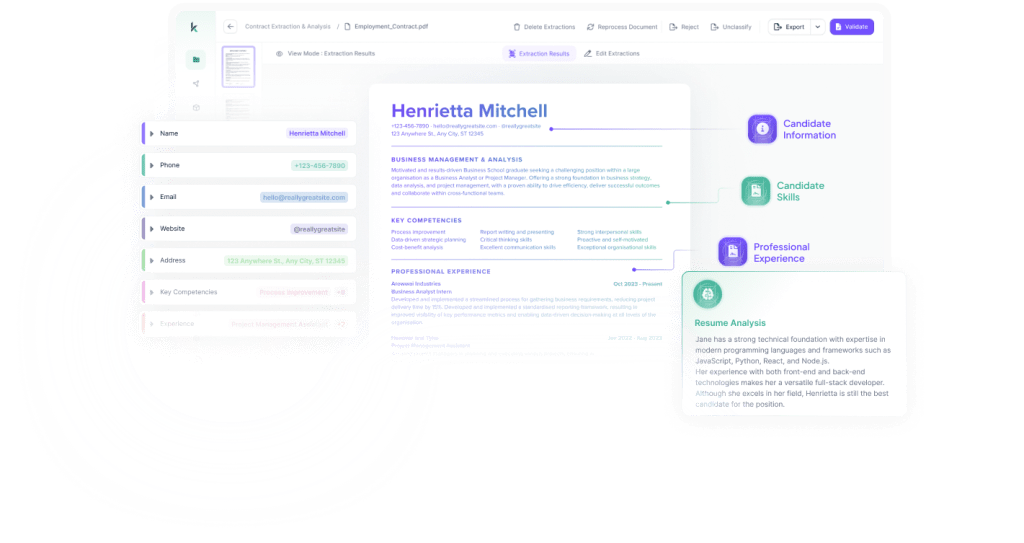
And it gets even better…
Kudra makes the entire process extremely easy to manage. With an intuitive drag-and-drop interface, anyone can set up and customize automated workflows tailored to their needs, with no coding required.
Other standout features include:
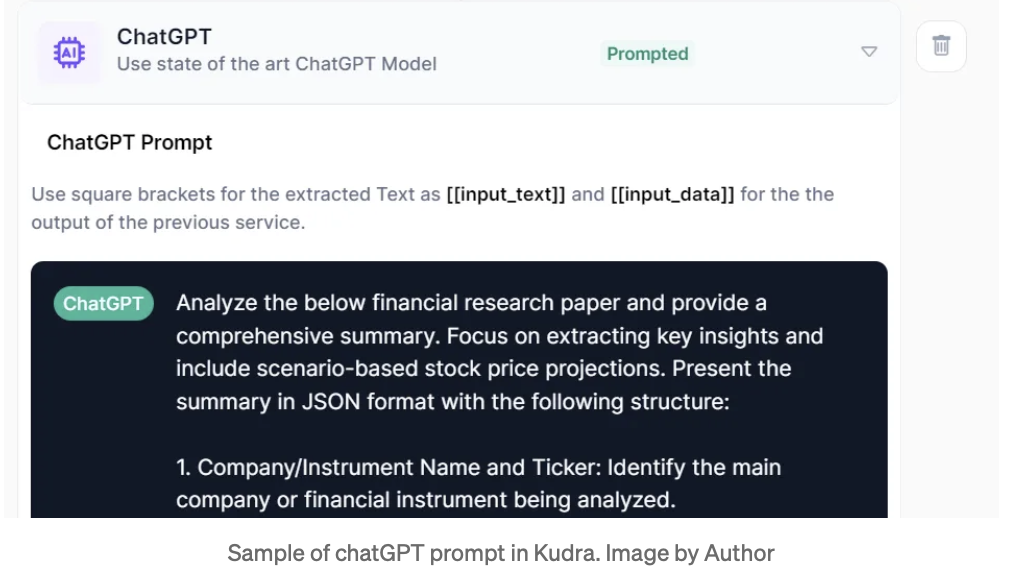
• ChatGPT integration – Ask questions about documents, validate extracted data, identify risks, etc.
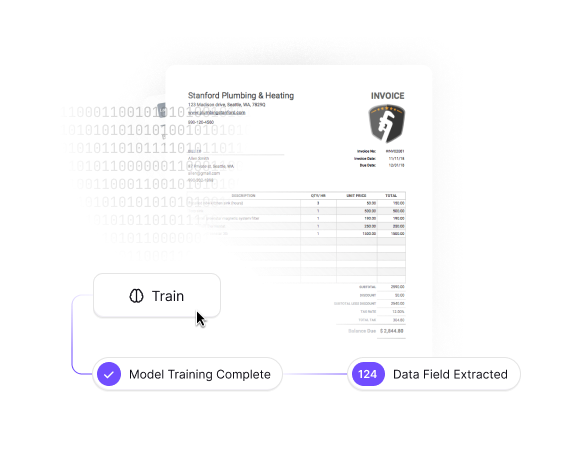
• Custom AI training – Refine models to match company-specific data points and formats
• Multi-format support – Ingest PDFs, images, print streams, EDI, CSV, Excel etc.

• Cloud storage connectors – Direct integrations with Google Drive, OneDrive, Dropbox etc.

• API connections – Send extracted data anywhere with 350+ app integrations.
With game-changing functionality like this, Kudra promises to fully optimize invoice processing workflows and unlock huge time as well as cost savings.
The Precision Power of Kudra’s Invoice Processing
Now let’s explore Kudra’s intelligent document processing capabilities in more detail…
The platform utilizes a layered AI approach for unprecedented accuracy when extracting invoice data:
1- Multi-Engine OCR – This scans documents and converts all text, numbers, tables, etc. into machine-readable format with 99%+ accuracy. It works on everything from clear scans to poor-quality images.
2- Natural Language Processing – Understands sentence structure, meaning, and context just like a human. This allows accurate extraction of headers, line items, totals, addresses, etc. in any format.
3- Entity Recognition – Advanced ability to identify relevant entities across documents like company names, dates, codes, etc. Ensures critical fields are precisely captured.
4- Validation Checks – Cross-verifies extracted data against set parameters to catch any extraction errors. Greatly minimizes bad data.
With multiple checks and balances at each stage, Kudra achieves unrivaled precision levels of 98% or more when processing invoices. And it continues getting smarter the more documents it handles!
The Ease of Automated Workflows
Now that we’ve seen Kudra’s capabilities to extract data accurately and at scale, what about actually setting up and managing these AI-powered workflows?
Thankfully, Kudra makes workflow creation extremely intuitive with a user-friendly drag-and-drop interface. Anyone can build multi-stage automation tailored to their specific process or documents.

For example, setting up invoice automation is as easy as:
1- Select desired documents from integrated cloud storage
2- Drag and drop AI extraction modules into the workflow
3- Map fields to be captured
4- Set validations to catch errors
5- Send data to specified databases or apps
That’s it! This 5-step visual workflow builder allows anyone to automate document routines in minutes with no coding needed.
The built-in ChatGPT assistant makes it simple to tweak workflows anytime. Just describe requirements in plain English and let the AI handle the technical details.
Between the intuitive interface and conversational support, Kudra allows the seamless creation of advanced automation without relying on IT teams. This enables faster ROI and continual optimization of document processes.
Conclusion
Paper-burdened business processes have suffered long enough. AI promises liberation through intelligent document processing platforms like Kudra.
Built by pioneers in the automation space, Kudra breaks new ground with human-like data comprehension coupled with no-code simplicity.
The result? Invoice workflows and beyond can be optimized to unprecedented degrees while unlocking huge ROI.
Still skeptical if AI can handle your unique documents? Kudra makes it easy to trial-run sample files for free and see the magic first-hand.
The opportunity to drive efficiency through intelligent automation awaits. The time to seize it is now!
Over to you…why not take Kudra for a spin and transform your document workflows today?


