
In the competitive field of AI-powered document processing, tools like Kudra and Docsumo are gaining traction for their ability to automate and enhance data extraction workflows. Both platforms offer unique features designed to cater to different business needs. This article provides a detailed comparison between Kudra and Docsumo, focusing on their key features, integrations, and pricing, to help you make an informed decision about which platform best suits your organization’s document processing requirements.
Kudra Overview
Kudra is a versatile AI-driven document processing platform that excels in offering extensive customization and advanced features like machine learning model training and robust OCR capabilities. It is particularly well-suited for businesses that need precise data extraction from complex documents and seek to create tailored document workflows. With a user-friendly interface, Kudra is accessible to users of all technical levels, making it a flexible and powerful tool for various industries.
Rossum Overview
Docsumo is a document AI solution designed to automate the extraction of data from various documents such as invoices, receipts, and contracts. It focuses on minimizing manual data entry by using AI to capture, process, and export data efficiently. Docsumo is particularly strong in its template-free document processing and integration capabilities, which make it a valuable tool for businesses that handle large volumes of structured and semi-structured documents. Its ease of use and quick setup are ideal for companies looking for a straightforward and effective solution.
Kudra VS Docsumo
Training custom Machine Learning Models
Data Extraction Without Training
Advanced Document Classification
Template-Free Processing
Human-in-the-Loop Reviews
Error detection
Custom Workflows
Kudra
Docsumo
Kudra key features
1- Advanced Document Processing
Kudra offers powerful tools for Named Entity Recognition (NER), relation extraction, and document classification, making it ideal for complex data extraction tasks. These AI-driven features streamline workflows and improve the accuracy of document processing.

2- Customizable Workflows
Kudra allows businesses to create and automate custom document workflows tailored to specific needs, reducing manual intervention and increasing processing efficiency.

3- Optical Character Recognition (OCR)
Kudra provides robust OCR capabilities, ensuring accurate extraction of data from various document types, including scanned images and PDFs, which is crucial for industries with high document volumes.
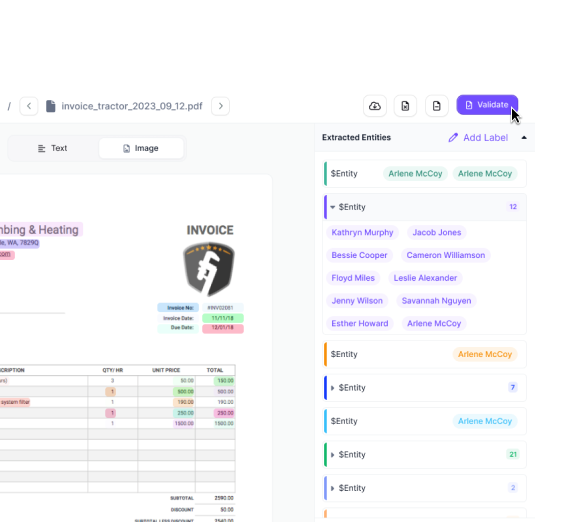
4- User-Friendly Interface
Kudra’s intuitive interface makes it accessible to users with varying levels of technical expertise, reducing the learning curve and enabling teams to quickly utilize the platform.
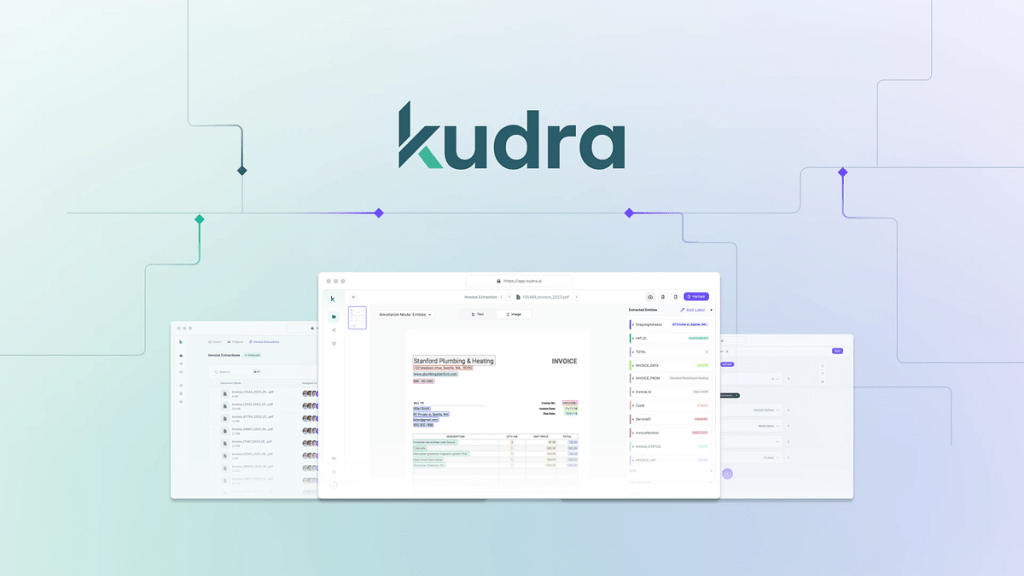
5- Custom Model Training
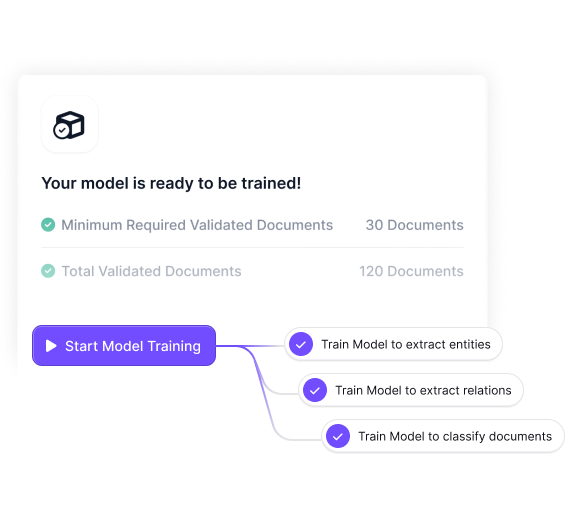
Kudra enables businesses to train custom machine learning models tailored to specific document types, enhancing the platform’s ability to handle specialized data extraction tasks.
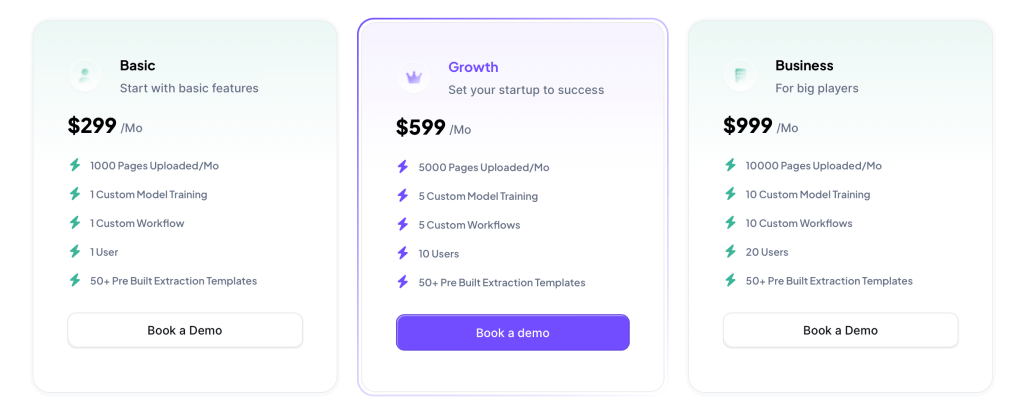
Kudra Pricing
Kudra operates on a flexible, usage-based pricing model that allows businesses to scale their document processing operations according to their needs. This pricing structure is particularly advantageous for organizations with varying document processing volumes, enabling them to pay only for the features they use.
Docsumo Key Features
1- Template-Free Data Extraction
Docsumo’s template-free approach allows it to extract data from documents without relying on predefined templates, making it highly adaptable to different document formats and structures.
2- Automated Data Capture
Docsumo uses AI to automate the capture and processing of data from documents such as invoices, receipts, and contracts. This feature significantly reduces the need for manual data entry, saving time and improving accuracy.
3- Real-Time Document Processing
Docsumo offers real-time document processing capabilities, enabling businesses to quickly capture and analyze data from incoming documents, which is particularly useful for time-sensitive workflows.
4- Integration with Business Systems
Docsumo integrates seamlessly with various business systems such as CRMs, ERPs, and cloud storage platforms, ensuring that extracted data can be easily transferred to and utilized within existing workflows.
Docsumo Pricing
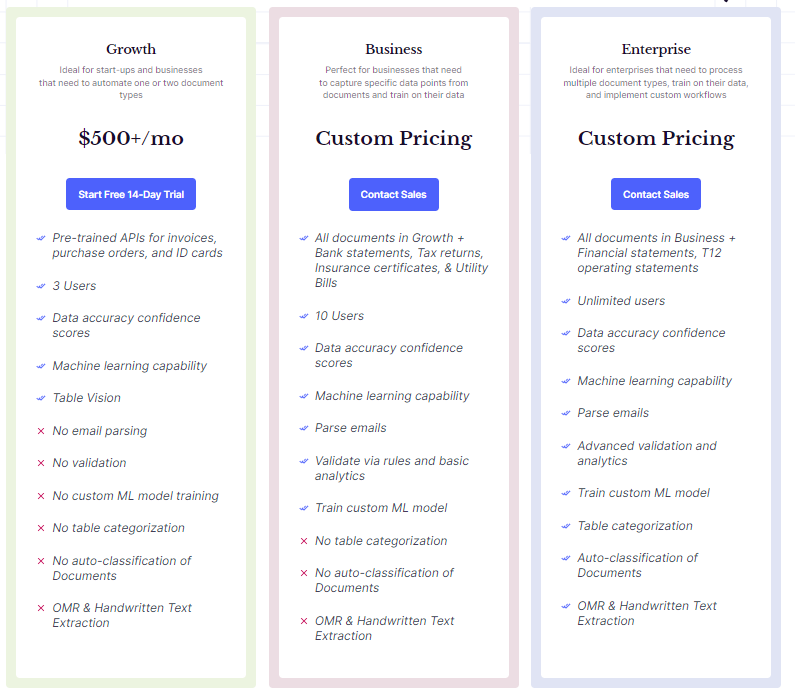
Docsumo’s pricing is typically based on the volume of documents processed per month, with tiered options to accommodate different levels of usage. This straightforward pricing model makes it easy for businesses to choose a plan that fits their needs, with the ability to scale up as document volumes increase. Docsumo also offers a free trial, allowing users to test the platform before committing to a paid plan.
Conclusion
Choosing between Kudra and Docsumo depends on the specific needs of your business. Kudra is ideal for organizations requiring advanced customization, robust OCR capabilities, and tailored workflows. It excels in handling complex document types and providing precise data extraction. Docsumo, on the other hand, is best suited for businesses seeking a straightforward, template-free solution for automating data extraction from structured and semi-structured documents. Both platforms offer powerful tools, but understanding their unique features and pricing structures will help you select the best fit for your document processing needs.


